Product Updates
Editor Update to Boost Team & Player Analysis and Club Marketing!
The BEPRO Editor now lets you build one project from multiple match and training videos, start projects from library videos or shared clips, and apply graphic templates when downloading clips.
Hello from the BEPRO team.
We have updated the way projects are created and how clips are downloaded. You can now bring multiple match and training videos into a single project, and you can create projects directly from library videos or shared clips that are not registered in a schedule. When downloading clips, you can also add graphic templates tailored to your team logo, player information, and analysis purpose to create more polished videos.
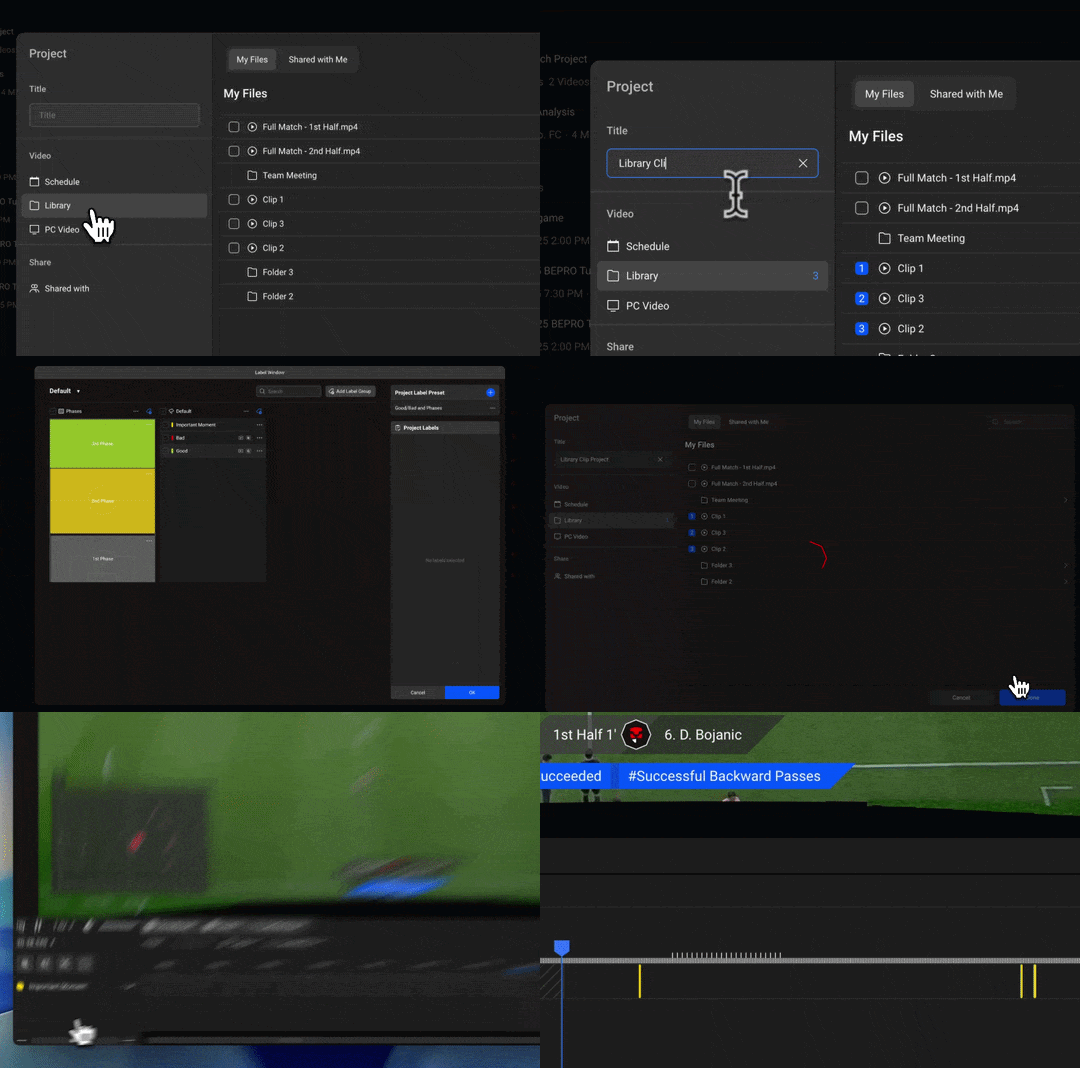
Add multiple schedule videos to one project
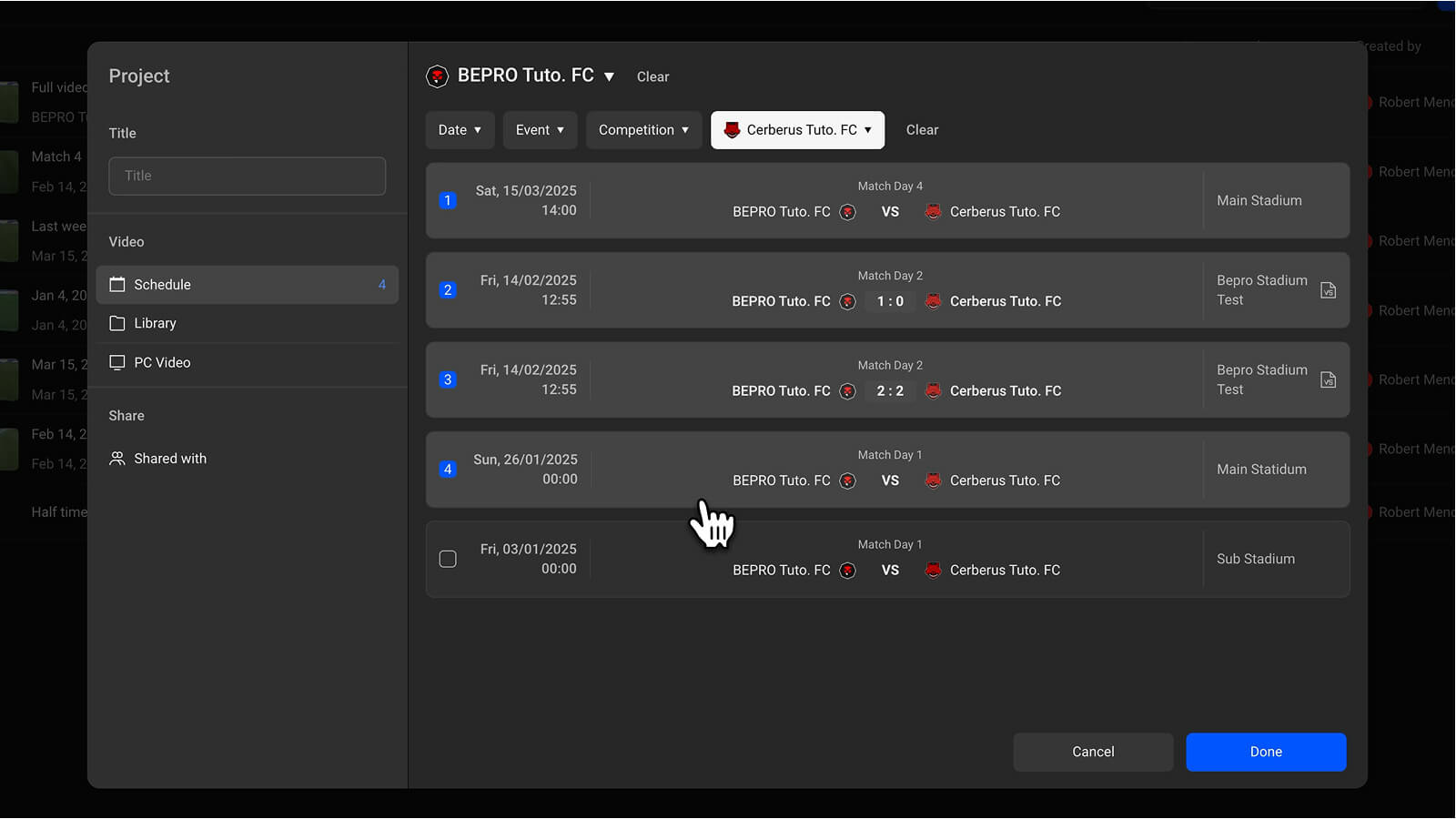
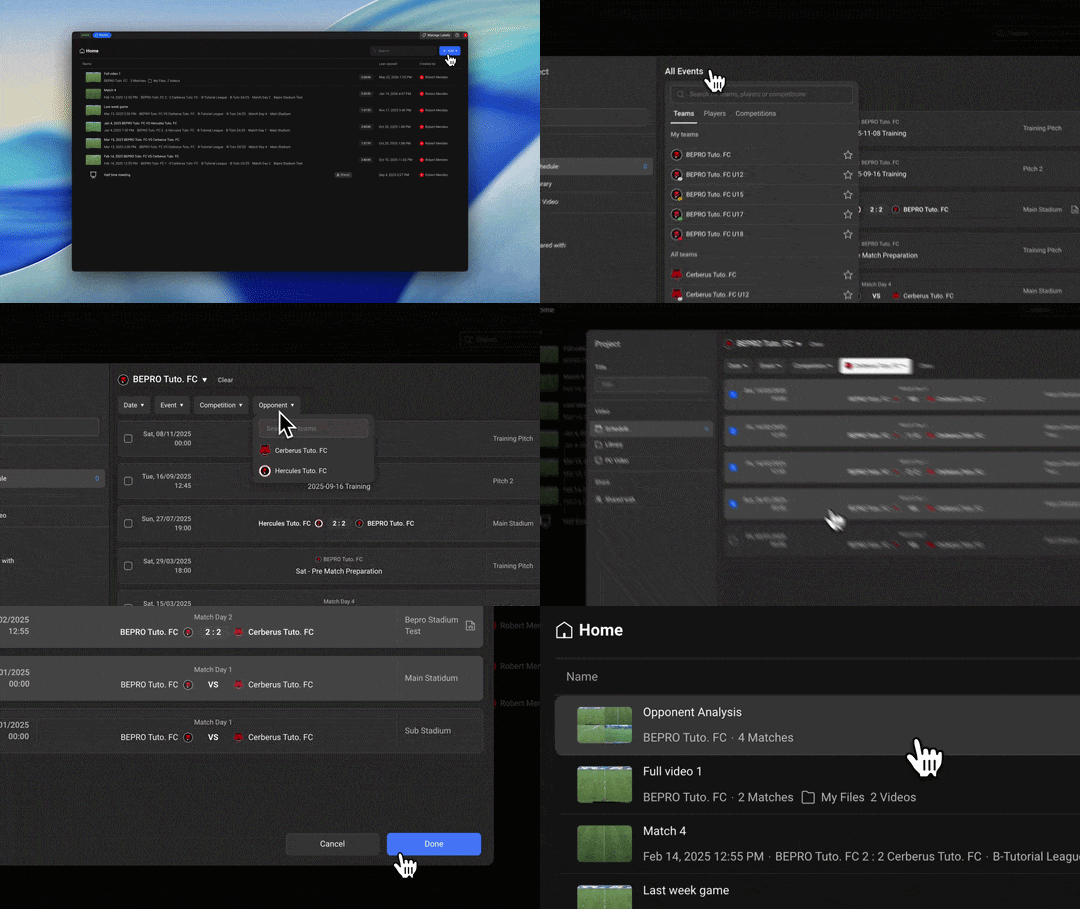
The editor project creation screen now works in the same way as finding schedules in Space. You can browse the full list of schedules you can access, then filter quickly by team, period, video type, and other conditions to find the videos you need.
With this update, you can add multiple schedule videos to one project and analyse several matches for a specific team or player in a single workspace.
Analyse multiple matches for a specific team in one project
Previously, analysing an opposing team often meant creating separate projects for several different matches. Now, you can select multiple matches for a specific team and complete your opposition analysis in one project.
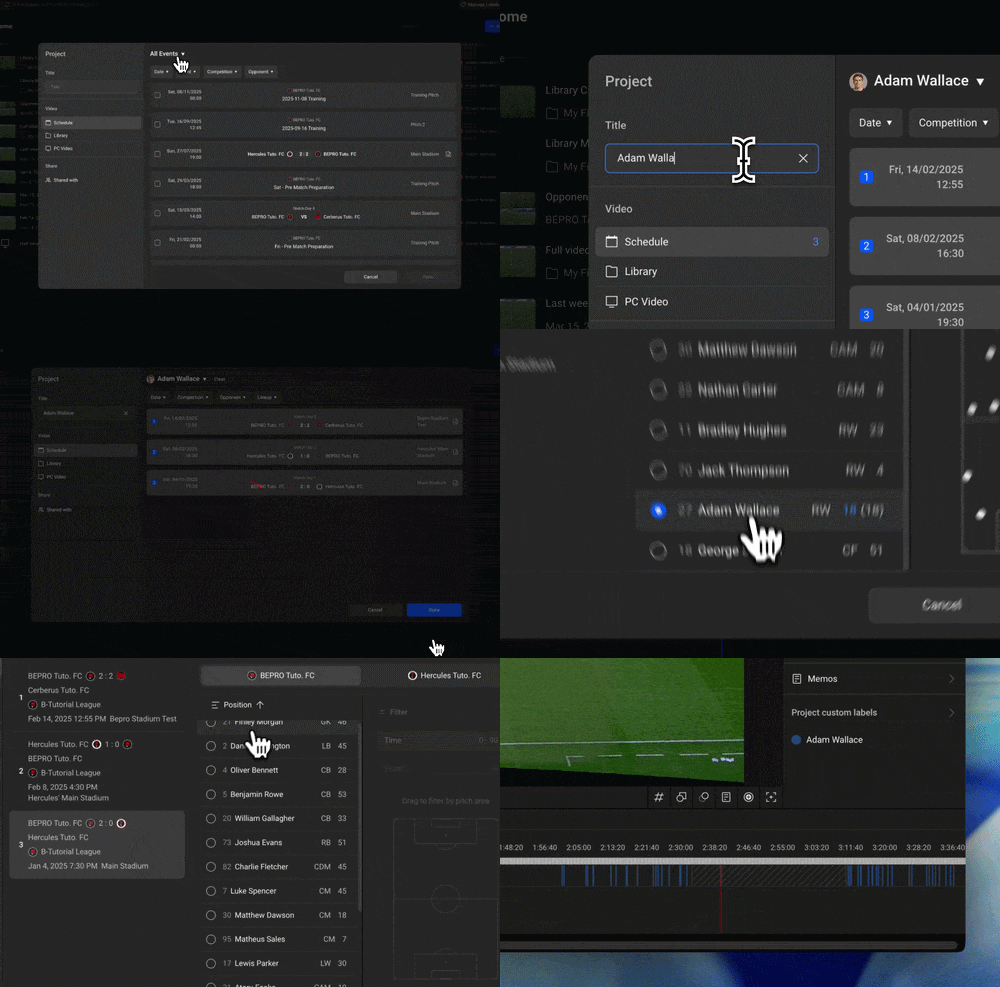
Analyse multiple matches for a specific player in one project
You can also collect matches featuring a specific player into one project. Select the matches you need, open the project, and bring in the Player Action videos that capture that player’s key moments. This can significantly reduce the time required for player analysis.
Create projects from library videos
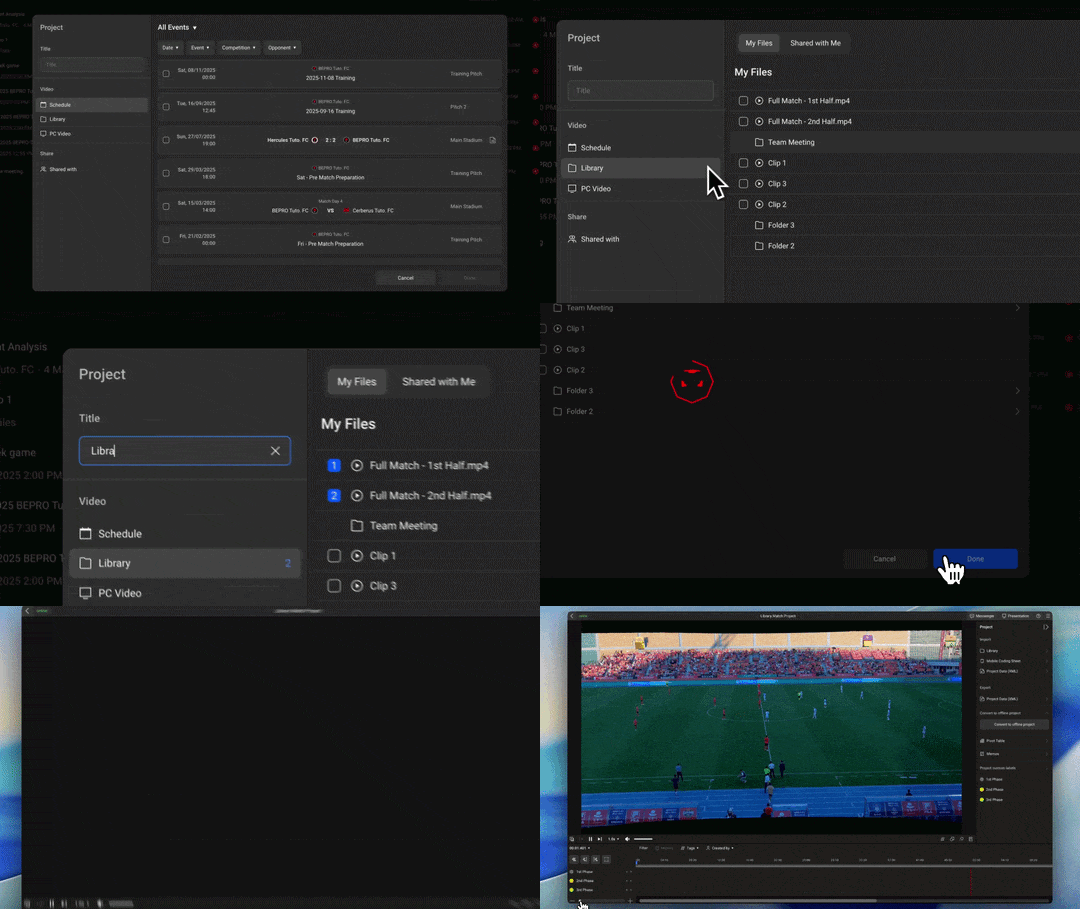
You can now create projects not only from schedules, but also directly from videos saved in your library. Start editing from videos you uploaded to your library, or from videos you saved to your library from Space.
Start a project from full match or training videos uploaded to your library
There are times when match or training videos are uploaded to the library without being registered as official schedules in BEPRO Space. You can now turn those videos directly into editor projects.
Start a project from clips saved in your library
When watching a video in BEPRO Space, you may want to continue editing a specific clip in the editor. You can now bring saved library clips into the editor and continue your analysis there. In this case, the full original video is used to create the project, and the selected library clip is automatically placed inside the project as an individual clip, so you do not lose the context before and after the moment.
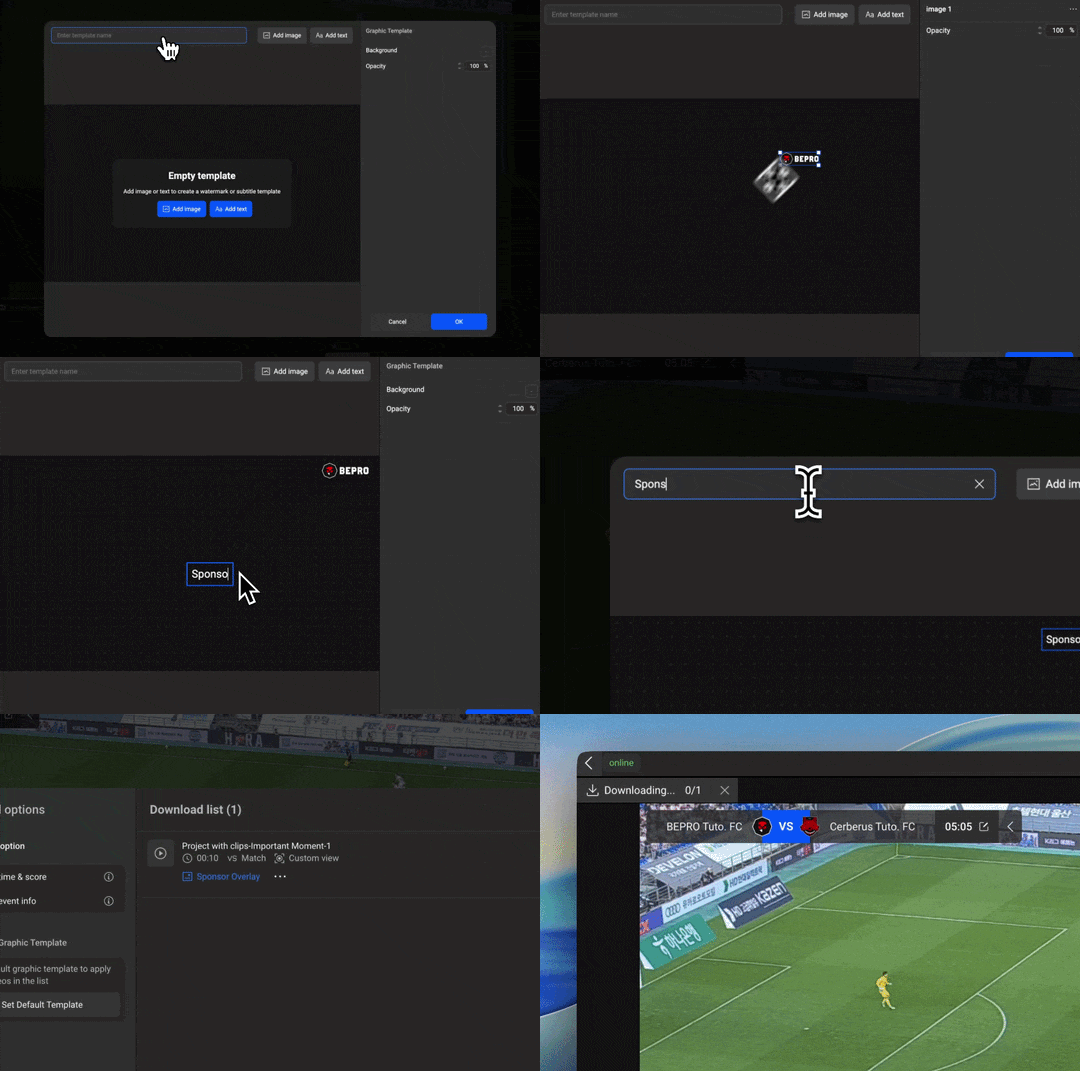
Graphic templates: add fixed graphics to downloaded videos
Create graphic templates
You can now apply overlay graphic templates to the clips you download. Add your team logo, sponsor logo, league logo, or custom text to show the source of the video, support team branding, or use the clip for marketing.
Graphic templates can be used as overlays on videos or inserted between videos like slides. If you set a default template, that overlay will be applied automatically to every downloaded video.
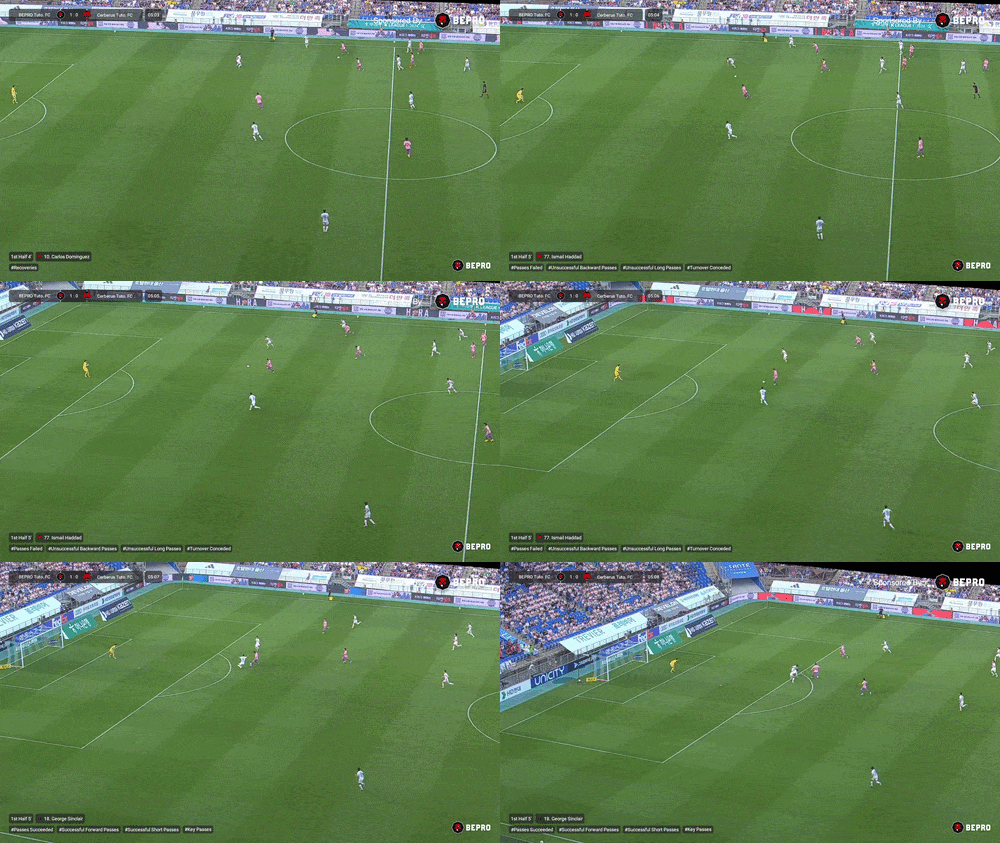
Example output with a template overlay
Instead of downloading a video from BEPRO and adding sponsor logos separately afterwards, use graphic templates directly in BEPRO.
You can also set a default graphic template so that it is applied automatically to every video you download.
With this update, the BEPRO Editor has expanded into a more flexible analysis space where match videos, training videos, and library clips can be connected more freely. Bring videos scattered across different places into one project and improve the efficiency of your analysis workflow.
And when you download the videos you have carefully edited, add your team logo and sponsor logo so your branding and marketing are covered as well.