BEPRO Space
BEPRO Editor
Cerberus
Login & Signup
Request Match Analysis
1
BEPRO Editor
Basic
Staff or Above
Create label groups
Let's learn how to manage labels by groups
💡
Prerequisites
Editor Premium
Hello, this is the BEPRO team!
In this article, we'll introduce the label group feature for premium users of the BEPRO editor.
You can create labels using event names, but you can also create them based on players, pitch areas, or other criteria.
The label group feature is designed to group these labels together to reduce the complexity of the label window and make them easier to manage.
Creating Label Groups
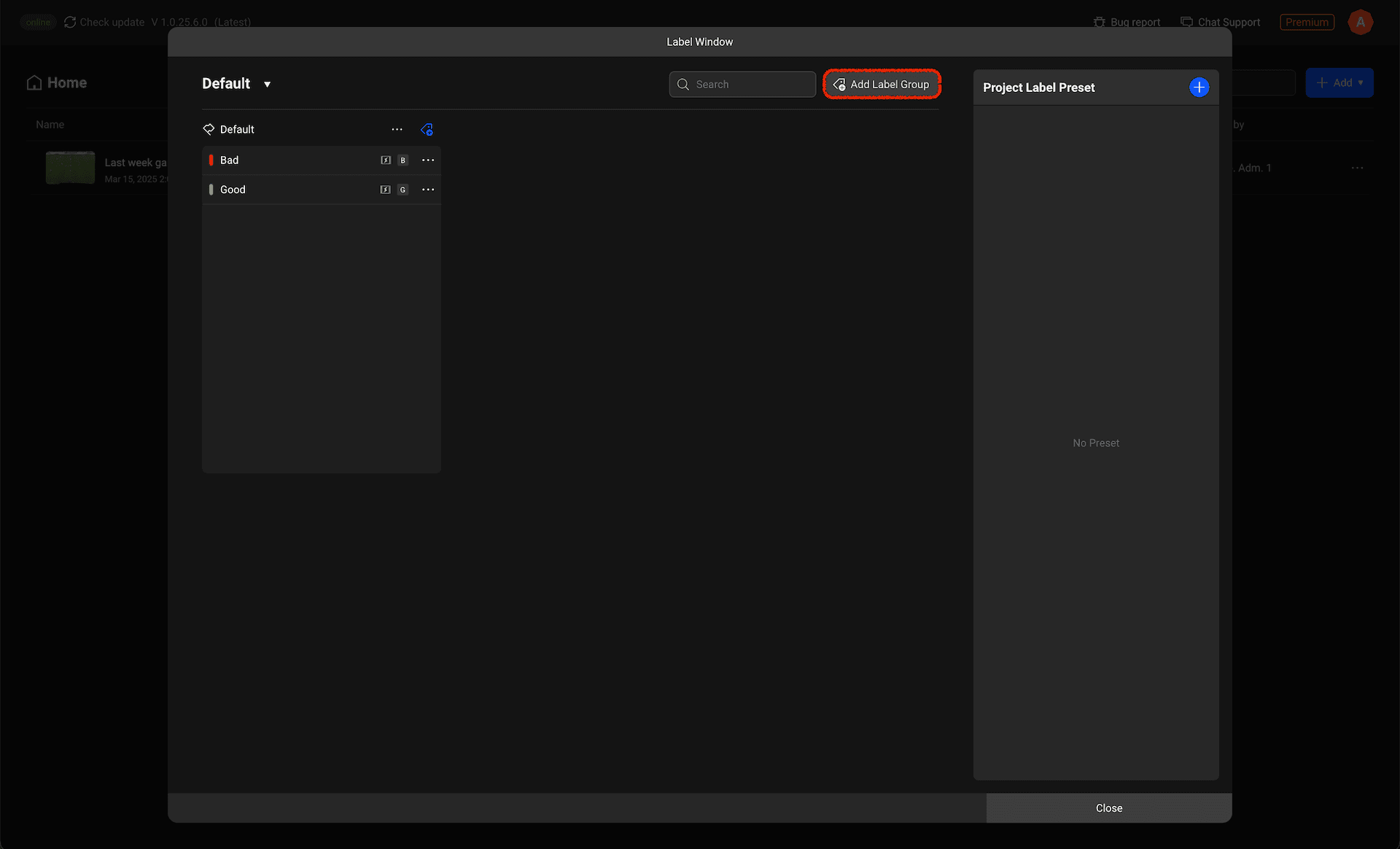
To create a label group, please click the Add Label Group button in the top right corner of the label window.
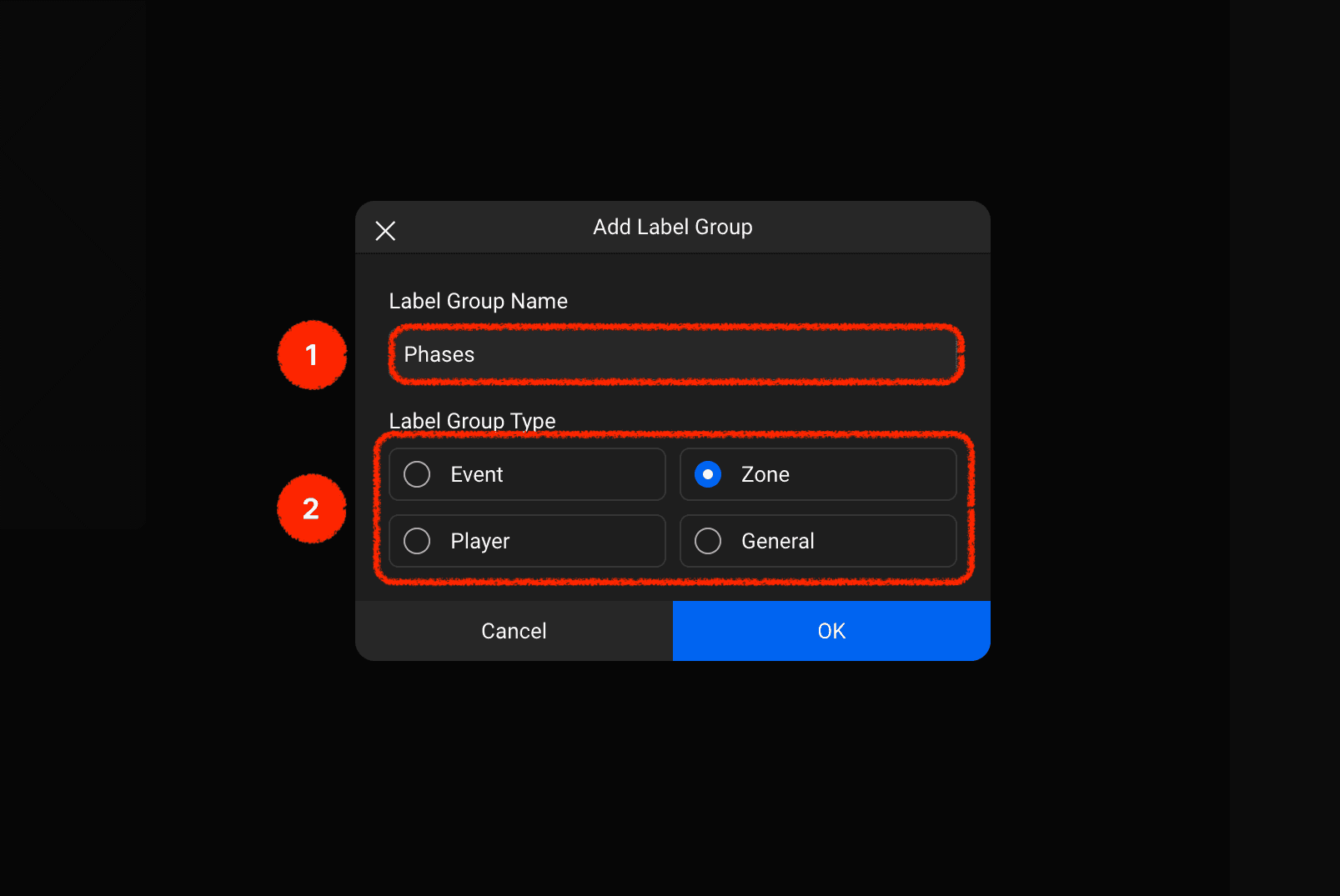
The label group creation modal is structured as shown above.
Label Group Name: You can enter the name of the label group.
Label Group Type: You can select one of four label group types: Event, Player, Pitch Area, or General.
Label Group: Zone Type
Unlike other types, the zone type label group displays the pitch.
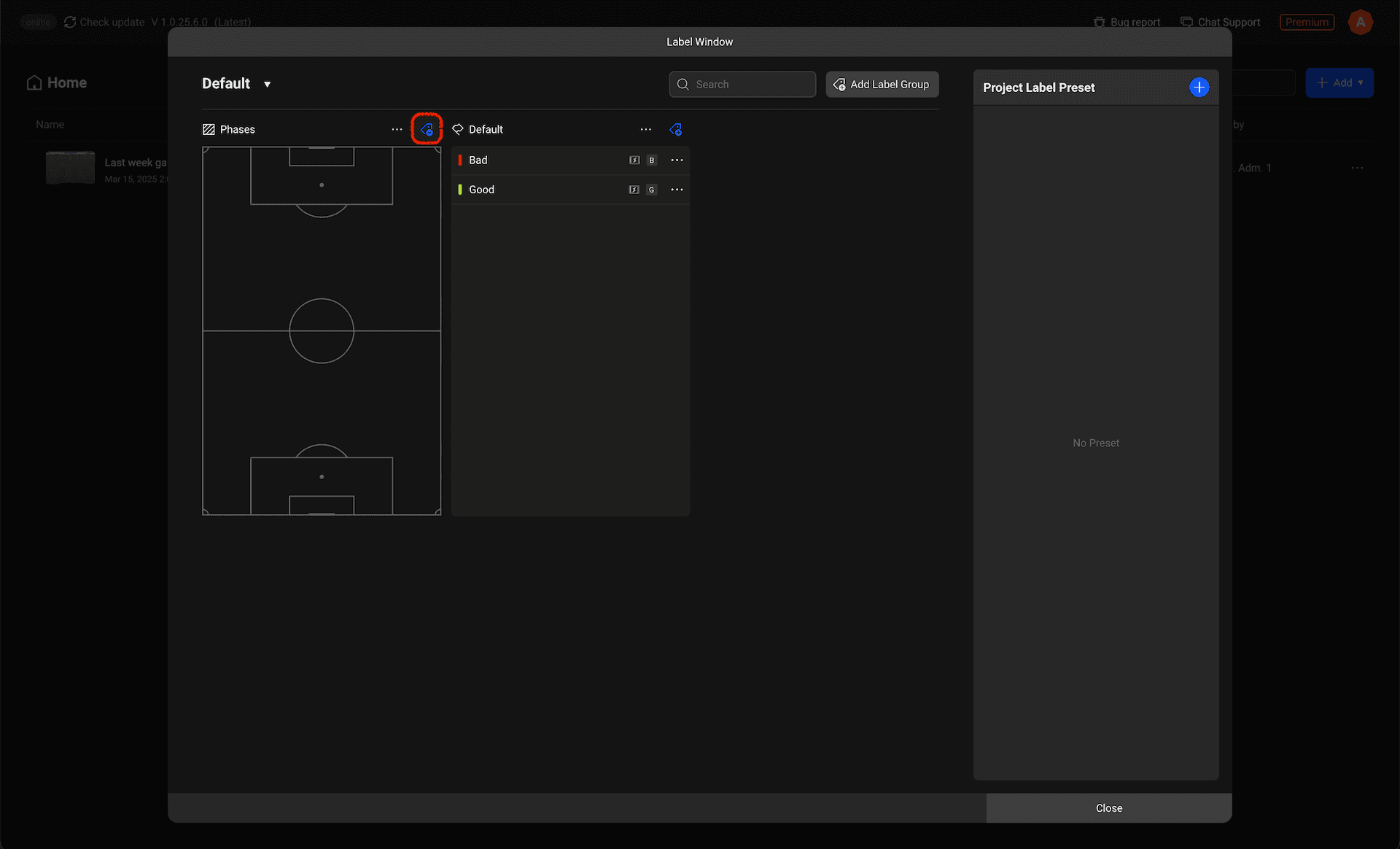
Let's add a zone label by clicking the Add Label button in the top right corner of the label group.
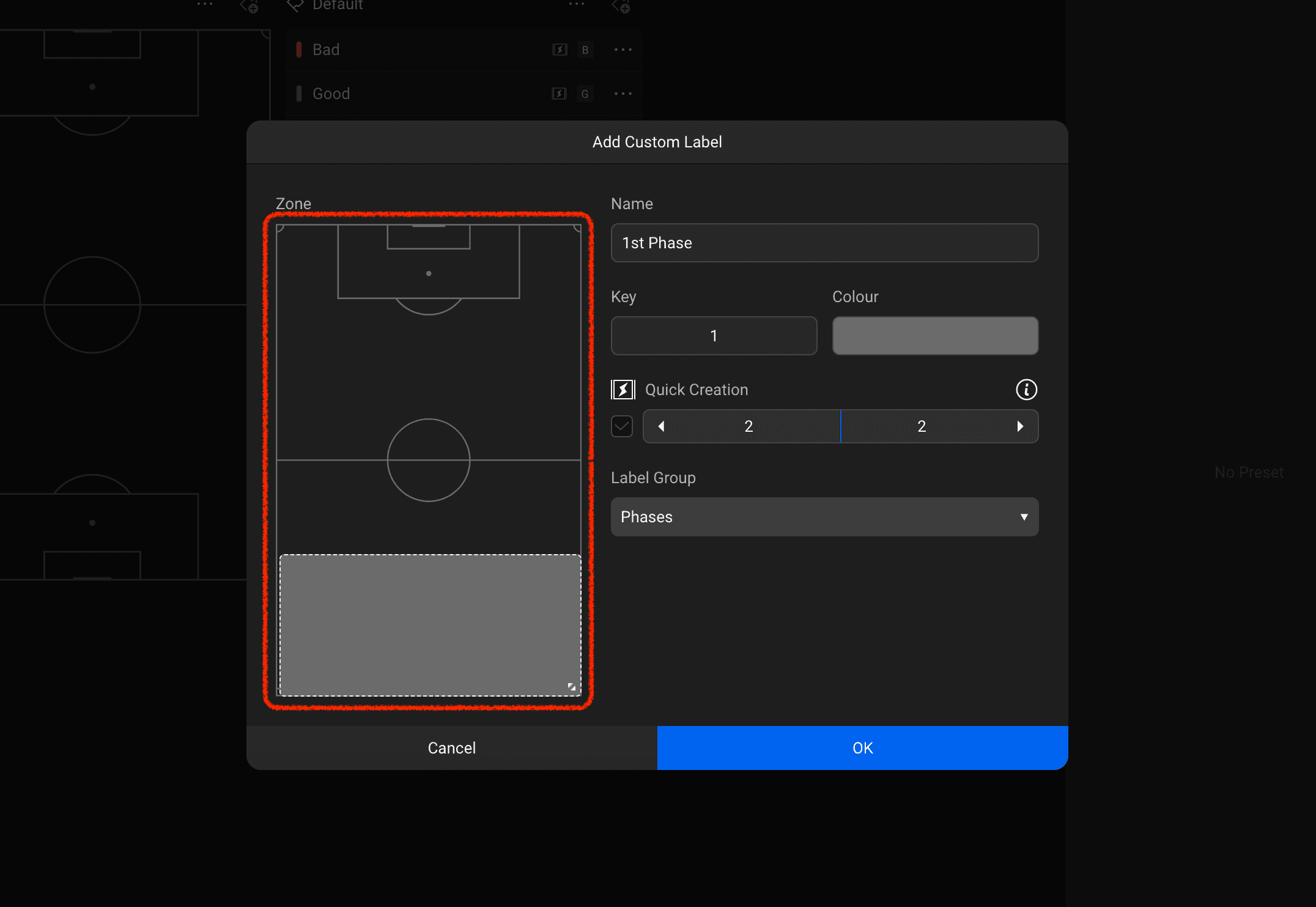
All options are identical to other label addition modals, but an additional item for setting the pitch area appears on the left.
Please drag to set the desired area.
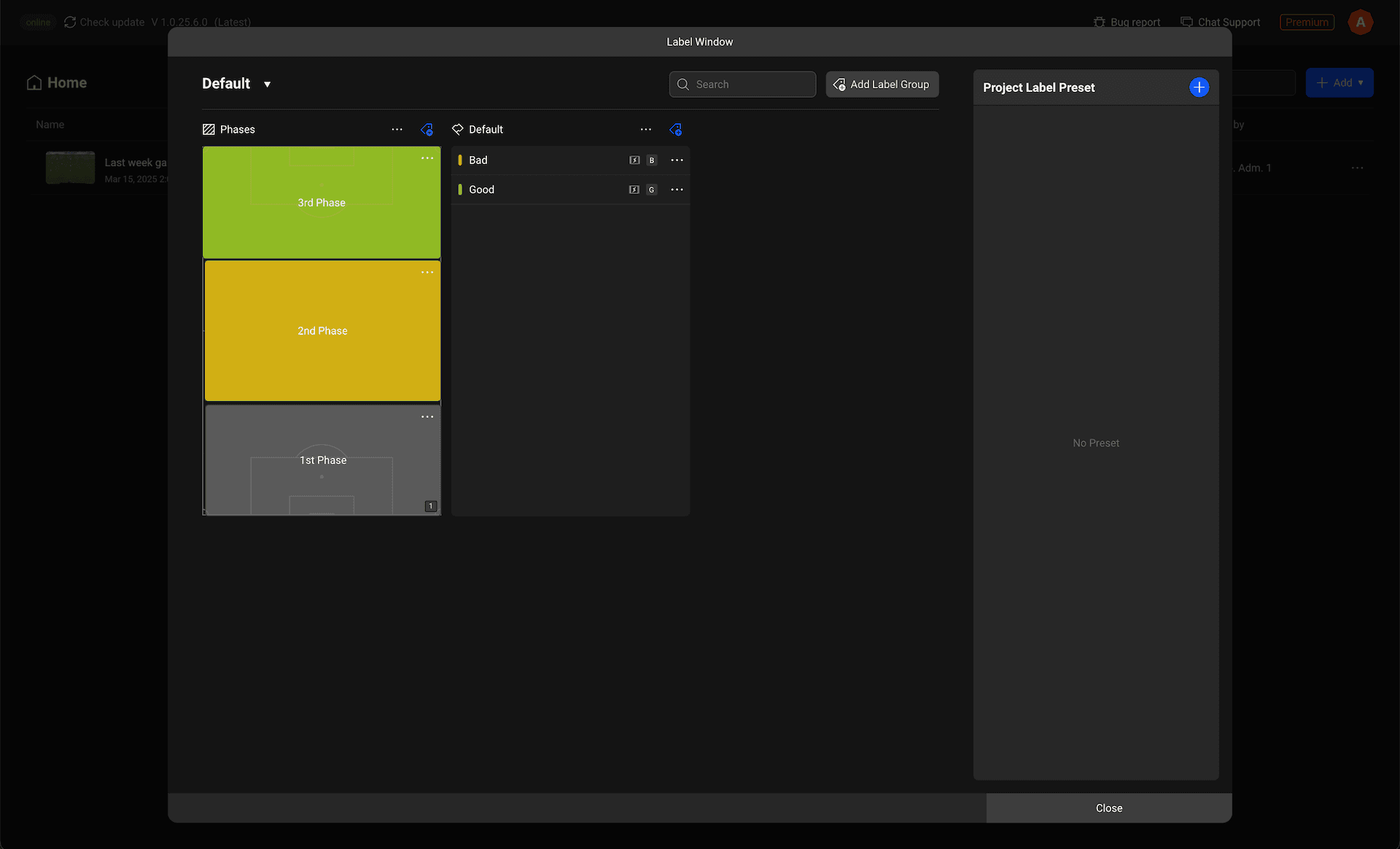
This is the screen after creating a label within a pitch area type group.
Organise the labels your team uses by groups to manage the labels used during analysis in a more systematic way!
Previous