BEPRO Space
BEPRO Editor
Cerberus
Login & Signup
Request Match Analysis
1
BEPRO Editor
Advanced
All Users
What is pivot table?
Let's find out what a pivot table is
💡
Prerequisites
BEPRO Editor Premium
Hello, this is the BEPRO team!
In this article, we explore the pivot table feature of the BEPRO editor.
A pivot table is a function used in spreadsheets such as Excel or Google Sheets, which allows you to analyse data from multiple angles by freely switching rows and columns.
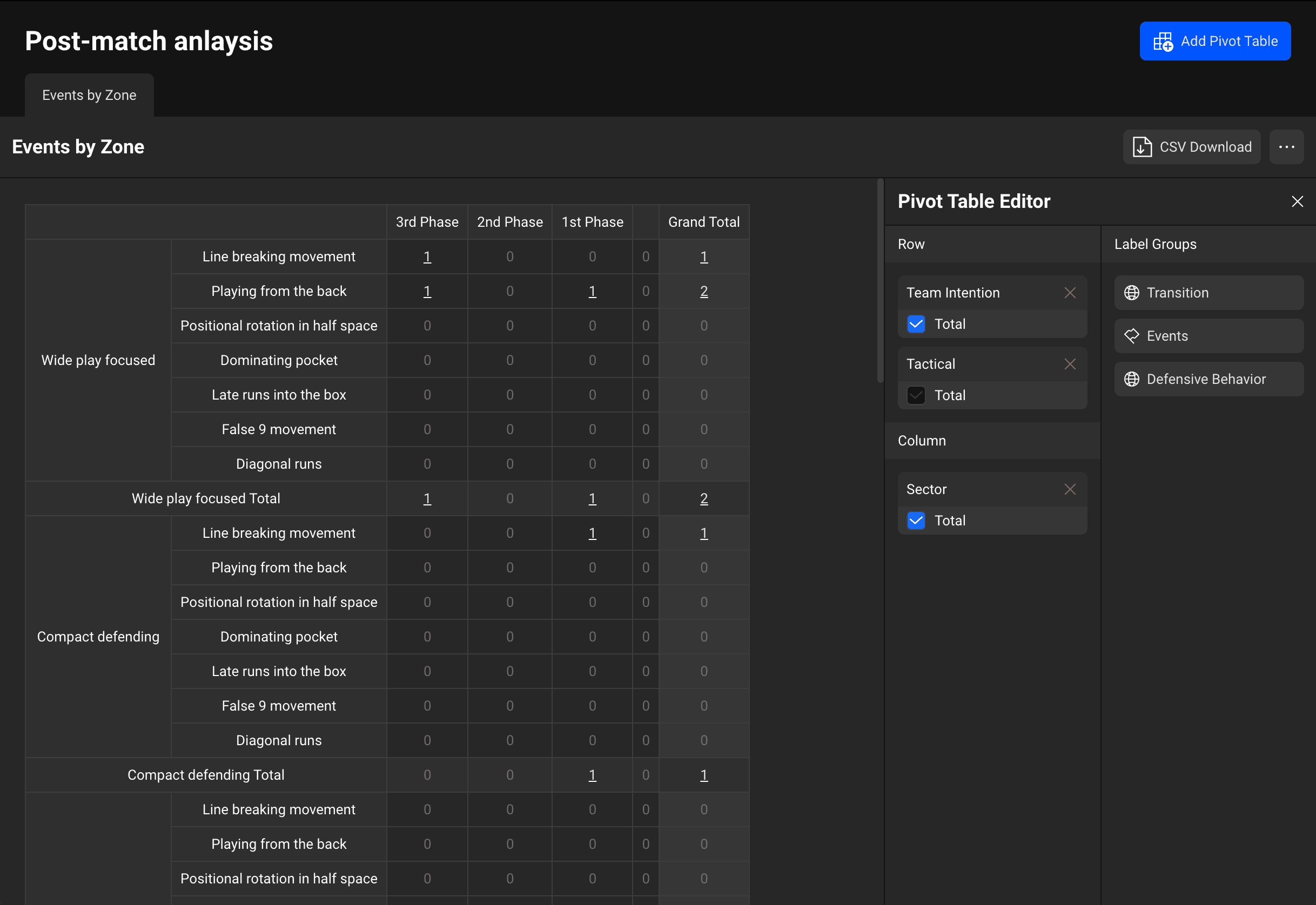
As demonstrated above, you can view the tag groups entered for the analysed clips in a table format by dividing them into rows and columns, enabling more comprehensive analysis.
Each cell's values are linked to videos, so you can immediately check the videos by clicking on them.
In the next article, we shall explore the specific methods of how to use pivot tables.
Previous