BEPRO Space
BEPRO Editor
Cerberus
Login & Signup
Request Match Analysis
1
BEPRO Editor
Basic
All Users
Add memos to clips
Add memos to clips to analyse more effectively!
💡
Prerequisites
1. Basic Package
2. Download BEPRO Editor in BEPRO Space
Hello, this is the BEPRO team.
In this article, we'll cover how to add memos to clips.
When analysing matches, you'll create a large number of clips. Sometimes it can be difficult to remember which clip was created in what context and which clips are more important.
The memo feature has been created to help you leave simple memos on clips so you can find important clips more quickly.
Adding Memos to Clips
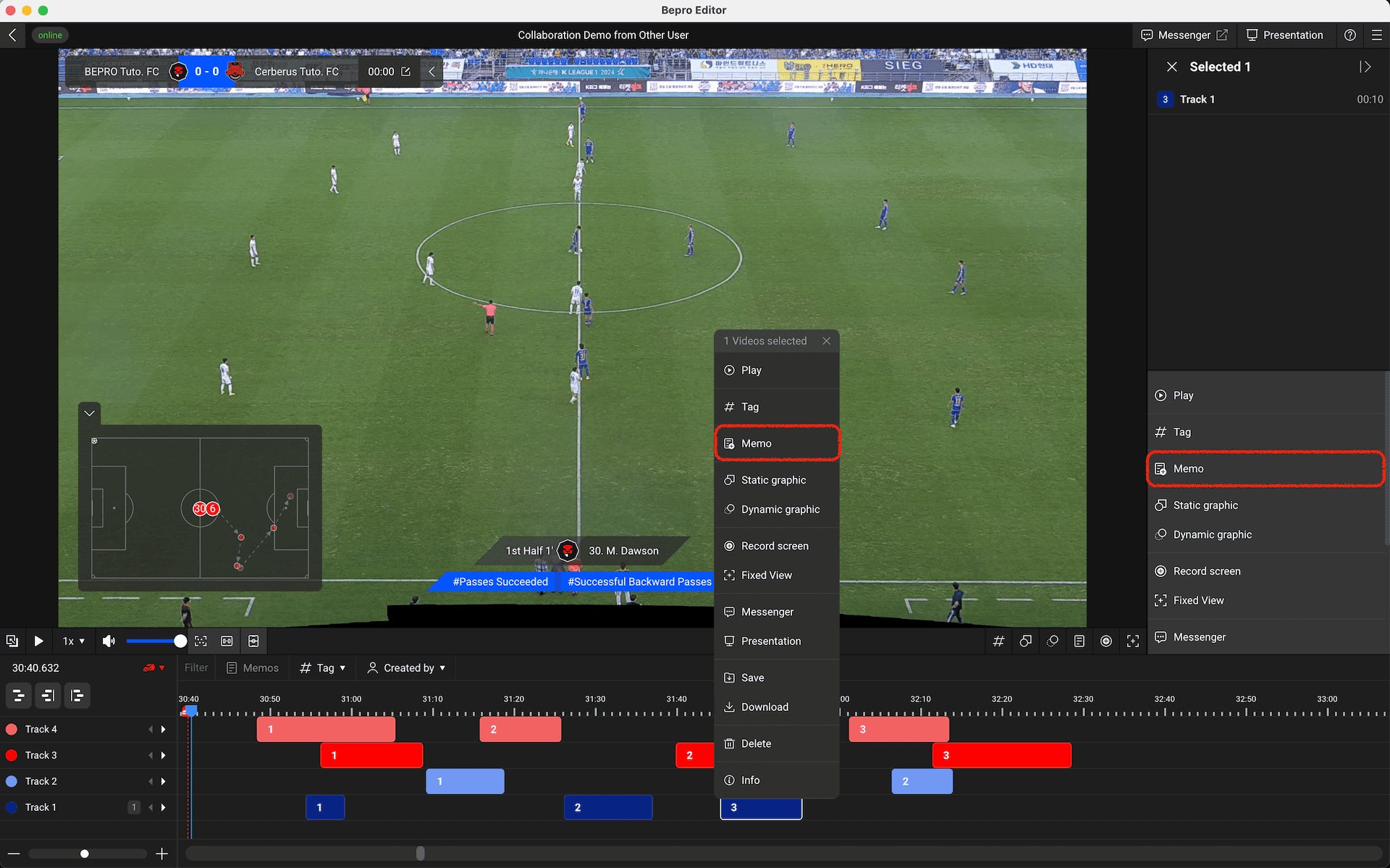
Select a clip or right-click, then click the "Memo" menu.
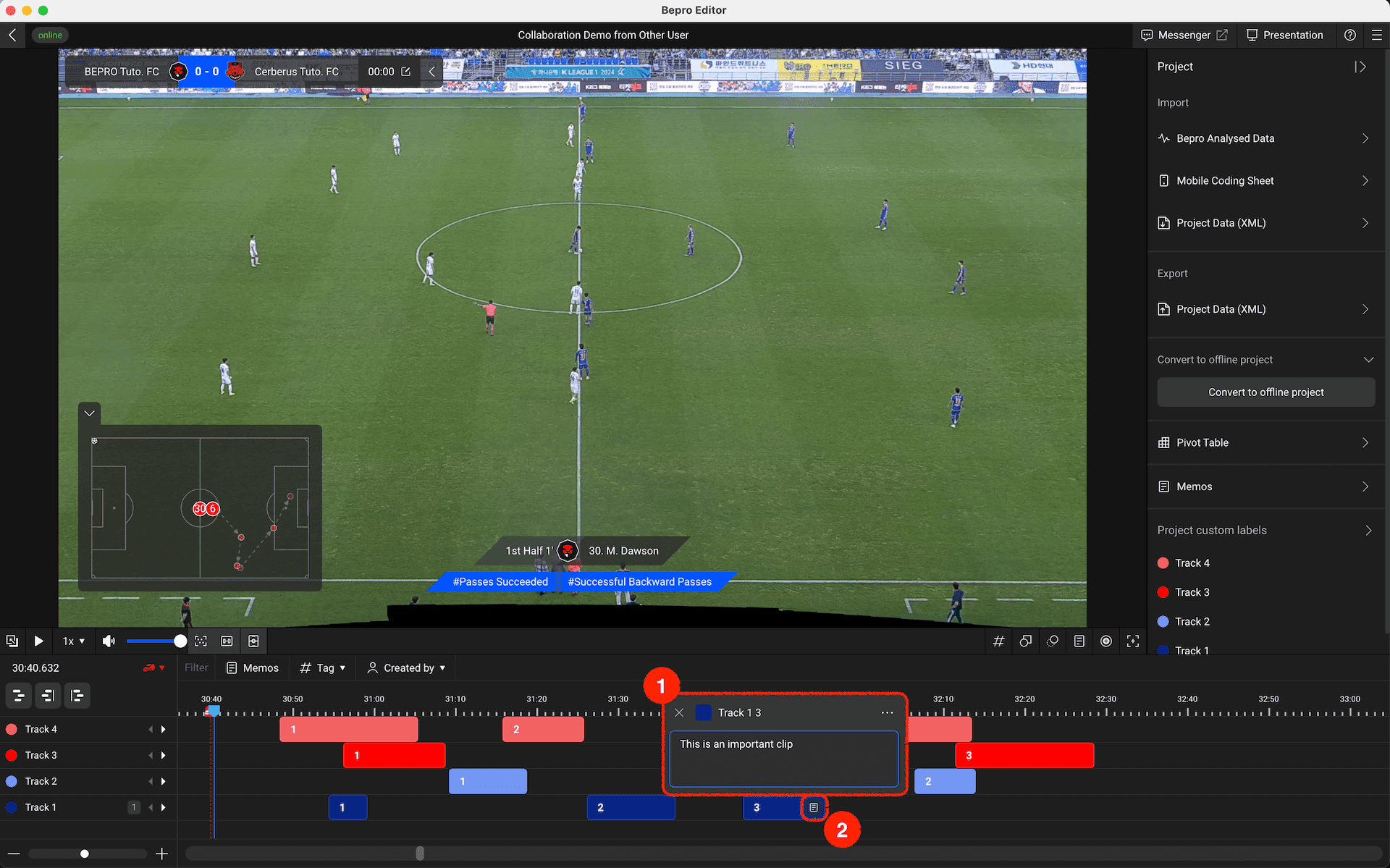
A popup appears where you can write memos on the clip. When you enter a memo, a small memo icon appears on the right side of the clip.You can quickly find clips with memos by looking at this icon.
Finding Desired Clips Quickly
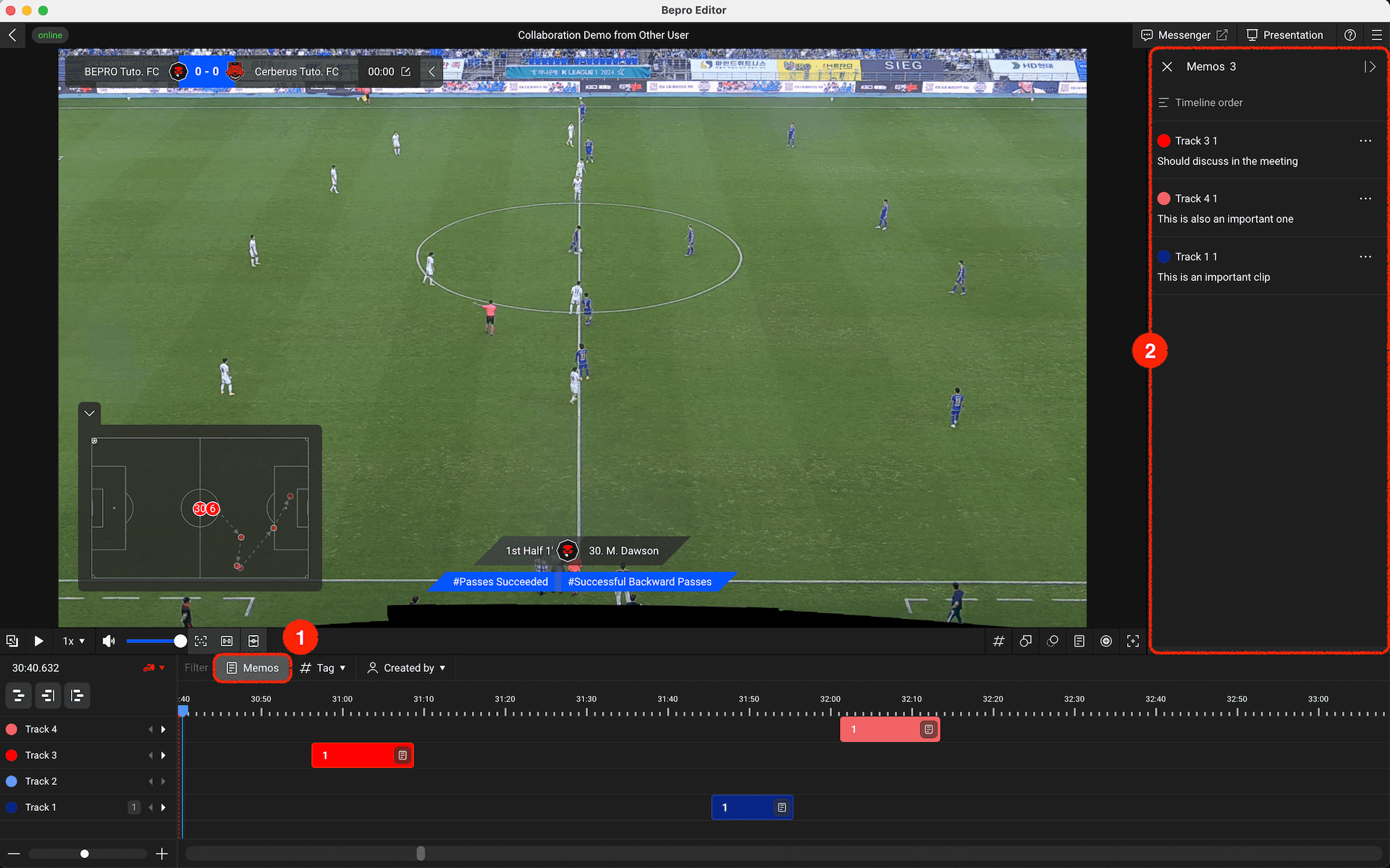
Among the filter options in the timeline header, there's a "Memos" button. When clicked, it hides all clips except those with memos.Additionally, clips with memos and their contents are listed in the right panel, and you can quickly navigate to any desired clip by clicking on it.
Instead of relying solely on memory, use memos to manage your clips and find the clips you want more quickly!
Previous