BEPRO Space
BEPRO Editor
Cerberus
Login & Signup
Request Match Analysis
1
BEPRO Editor
Basic
All Users
Download clips
Let's learn how to download clips
Hello, this is the BEPRO team!
In this article, we'll explore how to download edited videos to your computer.
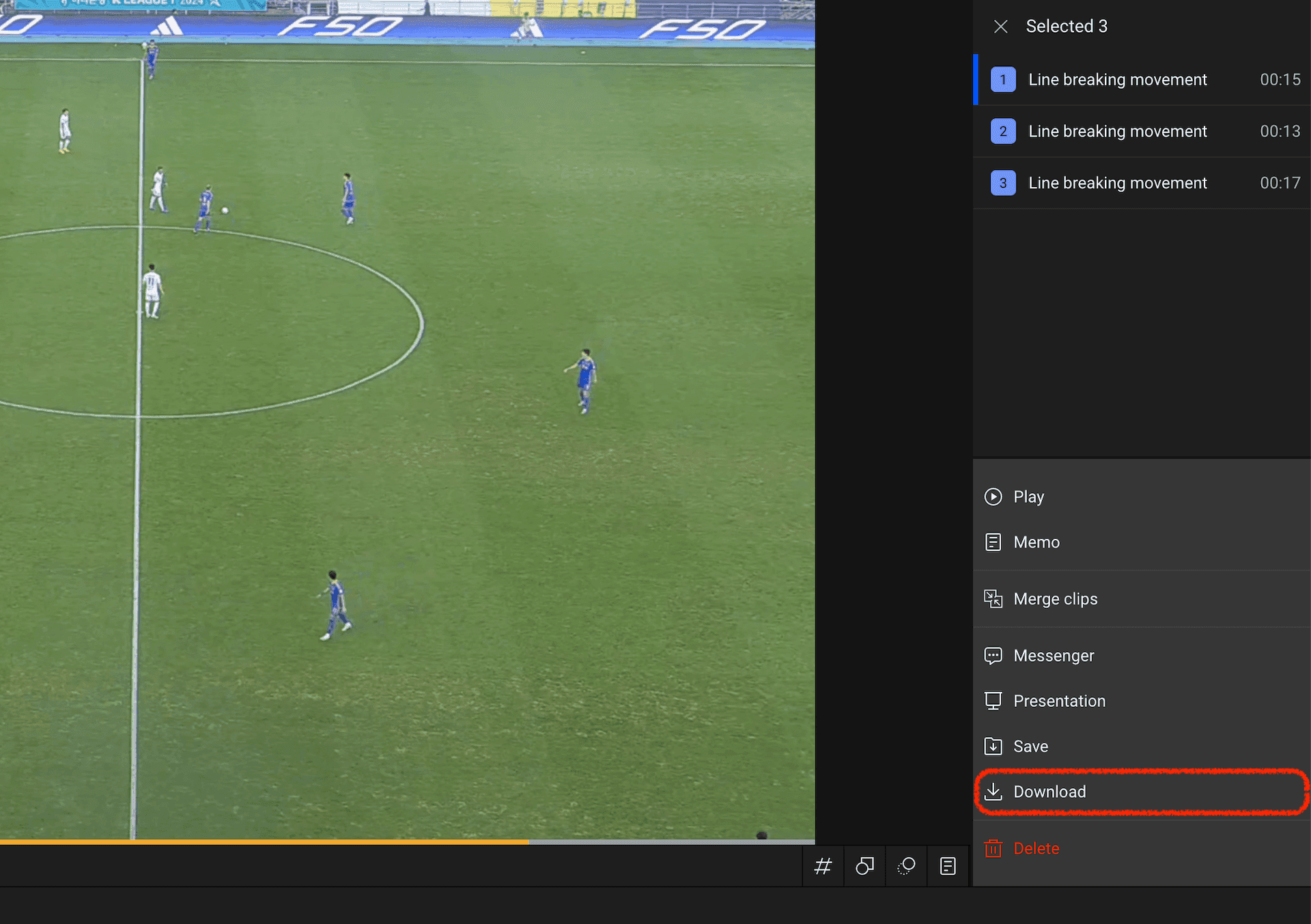
After selecting the clips you wish to download, choose the download menu from the right panel.
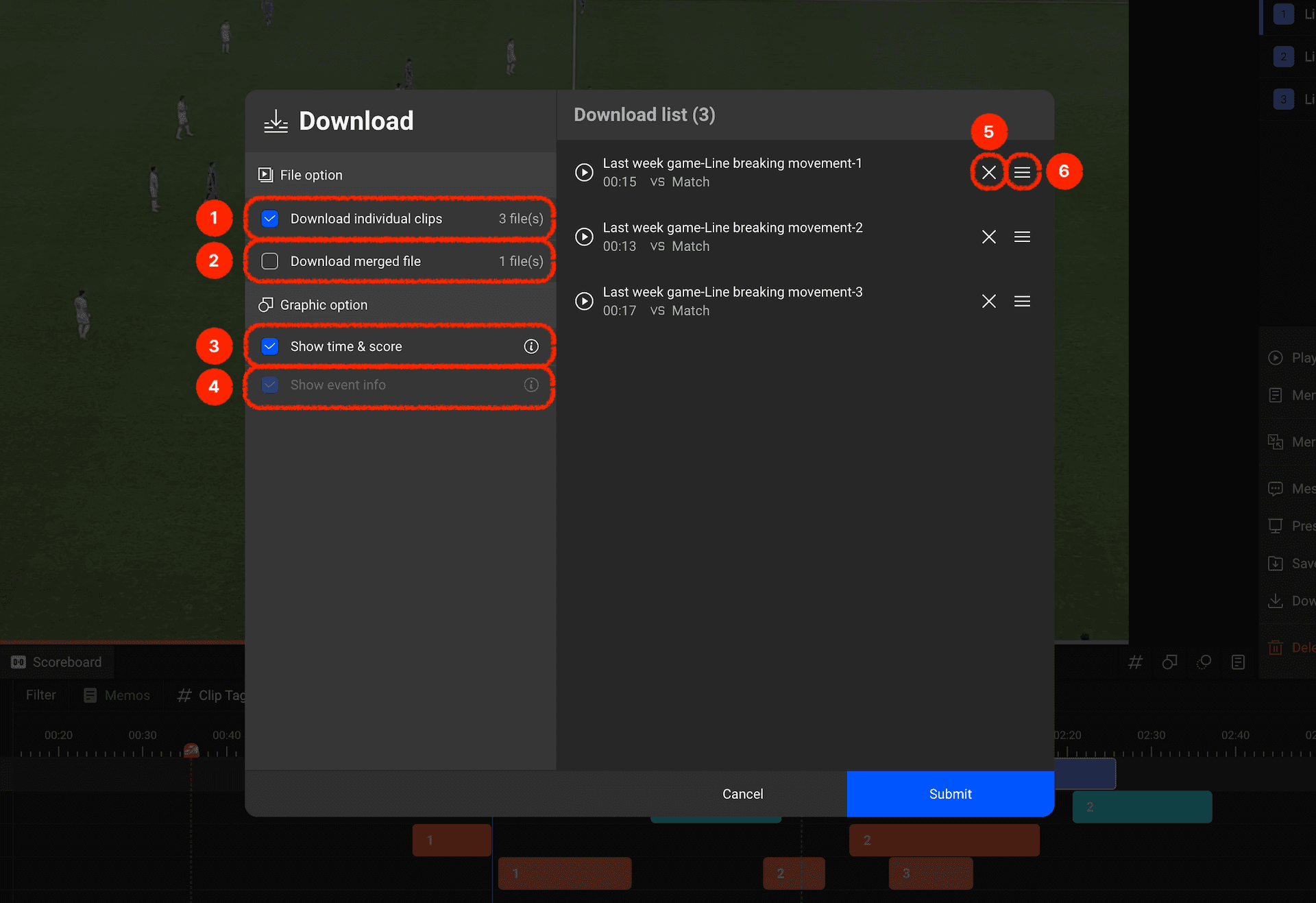
In the download modal, you can configure various options. Let's examine each menu:
Save the selected clips as individual video files.
Merge the selected clips and save them as a single video file.
Display time and score on the video.
Display event information that occurred on the video. If the video hasn't undergone match analysis, this option will be disabled.
You can delete the selected clip from the list.
You can drag clips up and down to change their order when merging and saving them as a single video file.
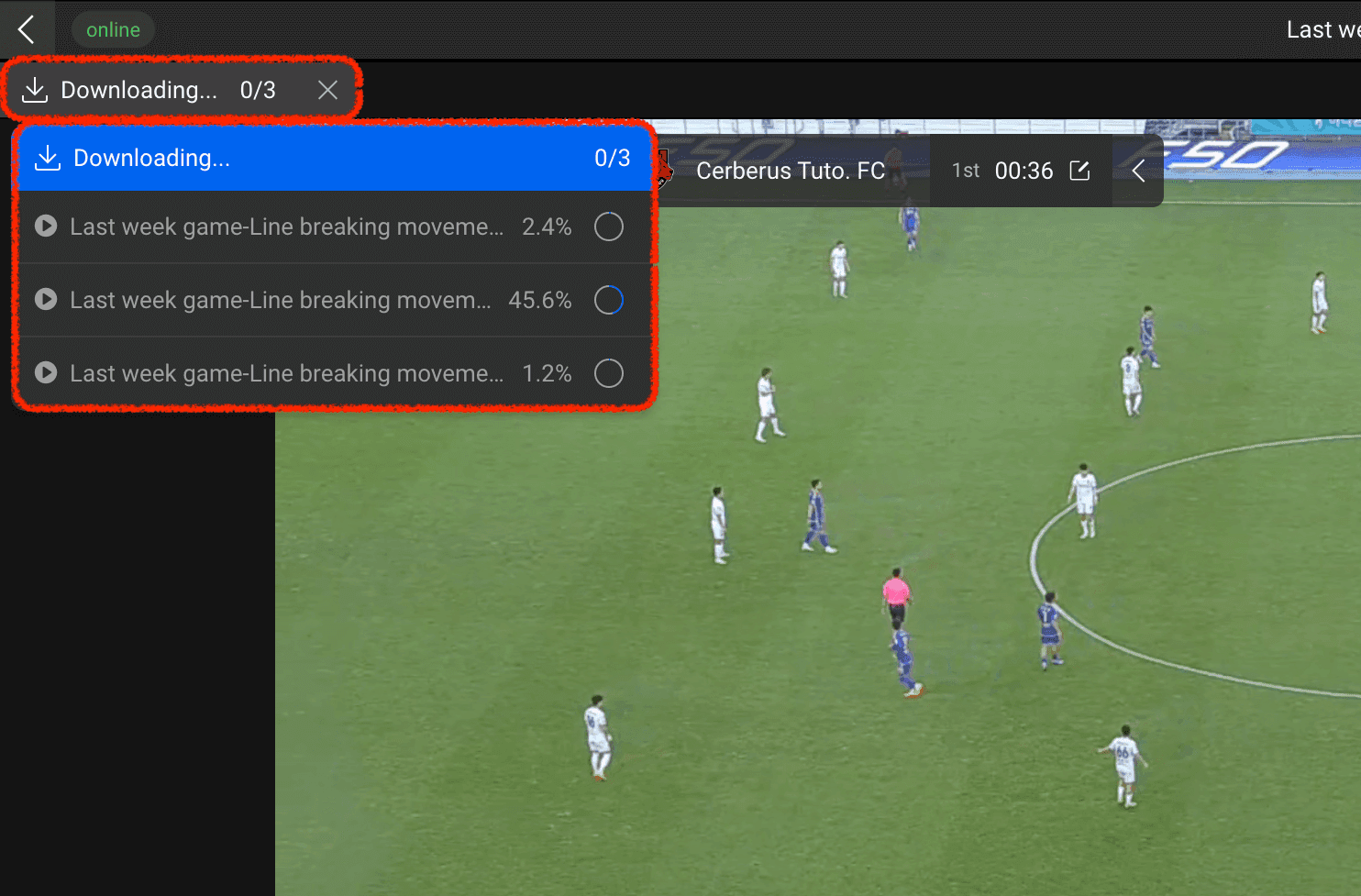
After selecting your options and clicking confirm, a button showing the download status will appear in the top left corner.
Clicking this button will open a download status popup where you can check the download progress of each item.
Download your edited clips and use them however you'd like!
Previous