BEPRO Space
BEPRO Editor
Cerberus
Login & Signup
Request Match Analysis
1
BEPRO Editor
Advanced
All Users
Import BEPRO Data
Let's learn how to import BEPRO analysed data
💡
Prerequisites
BEPRO analyzed match
Hello from the BEPRO team!
In this article, we'll explore how to import BEPRO analysis data in the editor project.
The BEPRO analysis data import feature generates clips based on already analysed data for your desired label track, and can only be used when you've selected an analysed match from BEPRO Space during project creation.
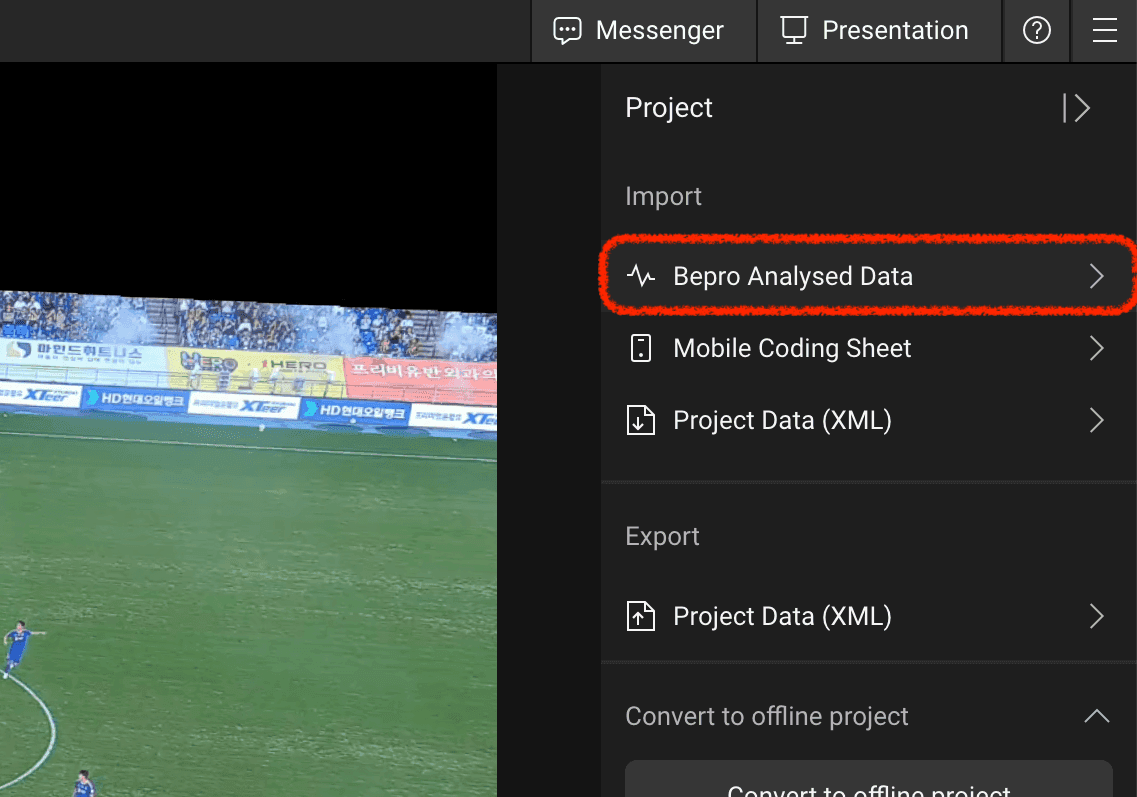
First, please select the BEPRO analysis data option from the import menus in the top-right corner of the project.
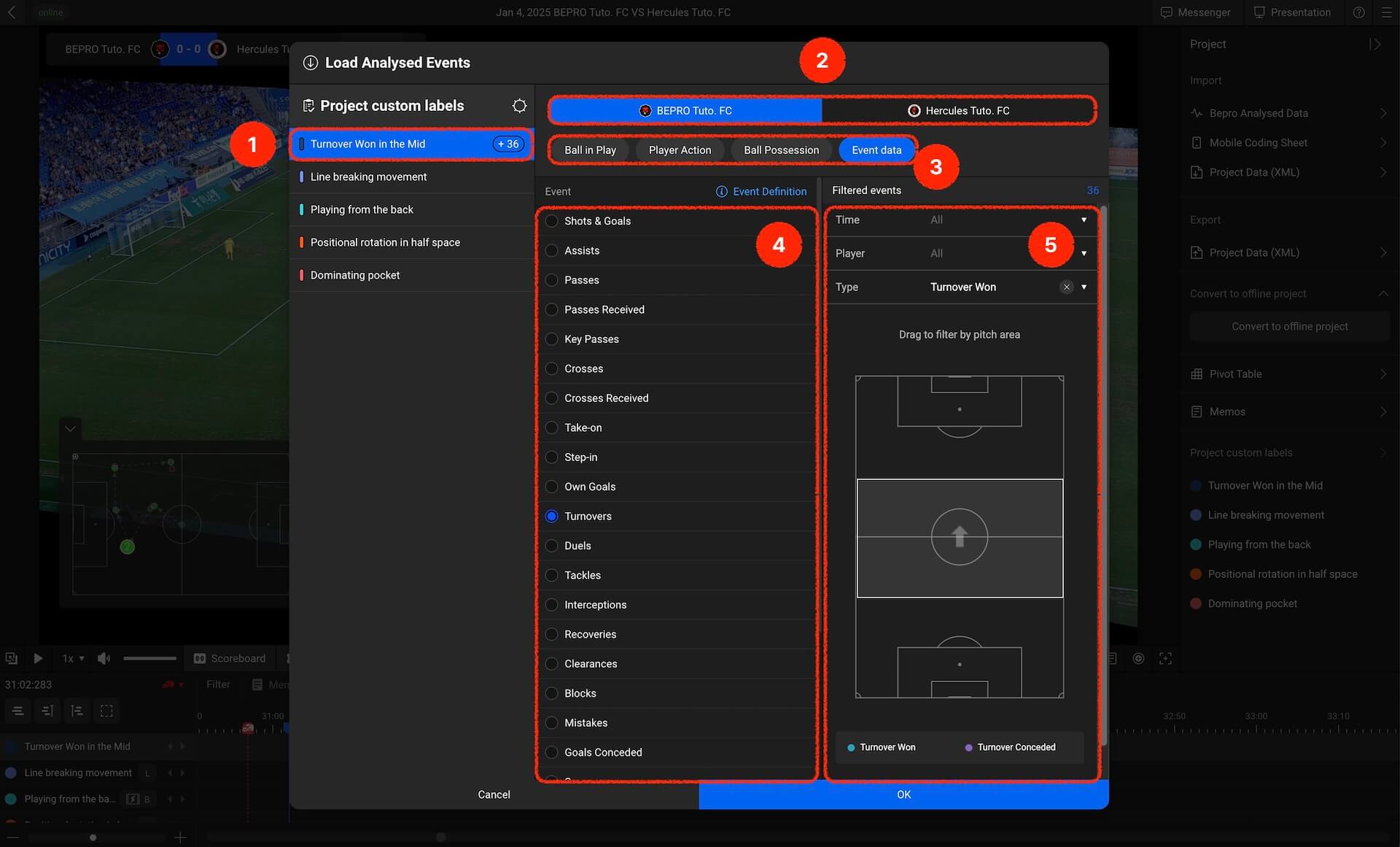
When the analysis event import modal appears, select a label track from the left panel and choose the analysis data to add to that label track from the right panel. Let's examine each menu in detail:
Project Label Selection: Choose the label track where analysis event clips will be generated from amongst your project labels.
Team Selection: Analysis events are categorised by team. Please select either the home or away team.
Type Selection: Please select the video type you wish to import. In this example, event clips have been selected.
Event Selection: If you've chosen event clips, you can select from various events. Please choose your desired event.
Filter Selection: Each event clip can be filtered by time, player, result, pitch area, and various other criteria to import your desired clips.
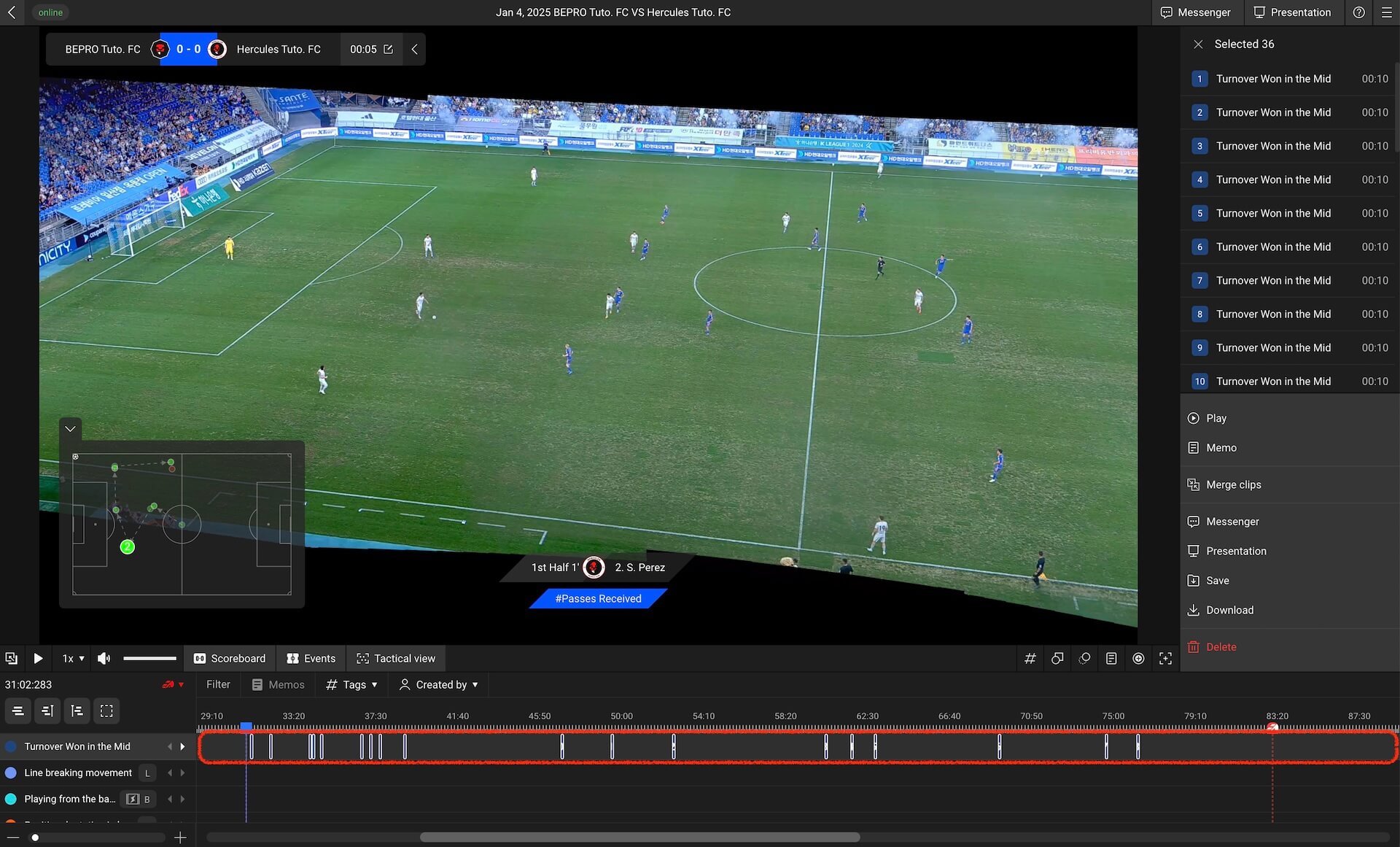
Once you've selected all options and clicked complete, you'll be able to confirm that events have been added to your chosen track.
You can now freely edit and delete these clips whilst continuing with deeper analysis.
Maximise your analysis efficiency by utilising BEPRO analysis data!
Previous
Next