BEPRO Space
BEPRO Editor
Cerberus
Login & Signup
Request Match Analysis
1
BEPRO Editor
Advanced
All Users
Import XML Data
Let's learn how to import external XML data
Hello, this is the BEPRO team!
In this article, we shall explore how to import XML files downloaded from BEPRO's analysis data or external video editing software such as Sports Code or Nacsports into the BEPRO editor.
Importing External XML Data
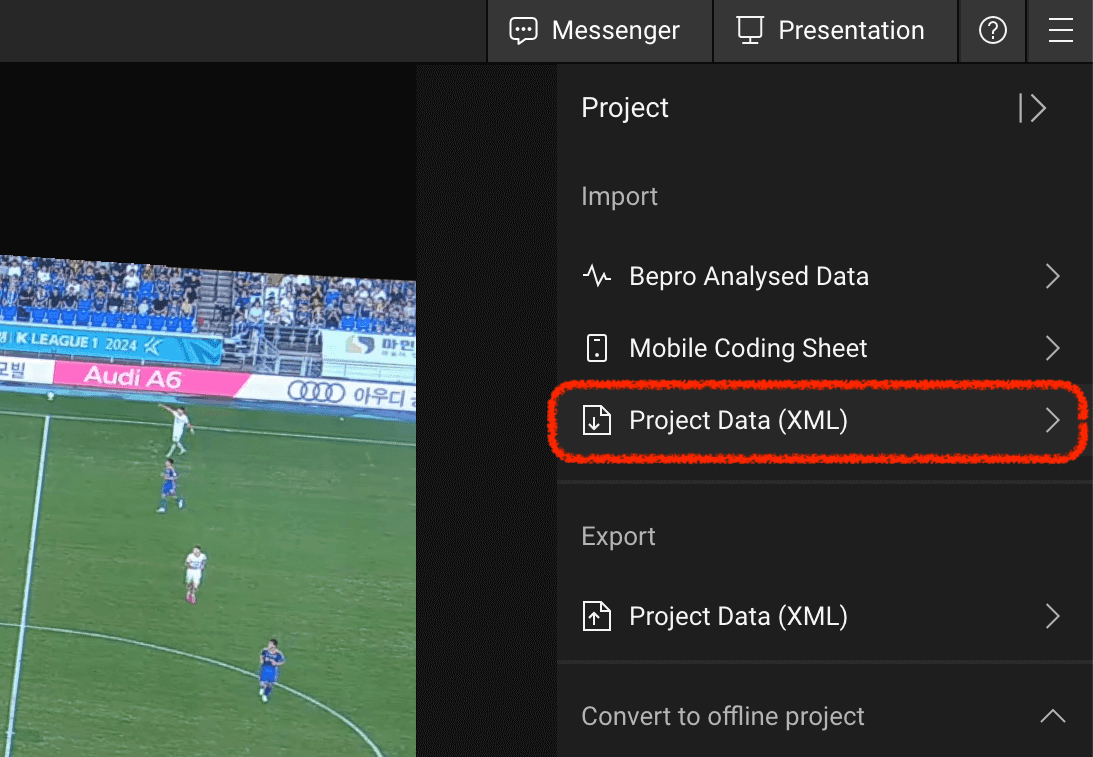
First, please select the 'Project Data XML' menu from the import menus in the top-right corner of the BEPRO editor project.
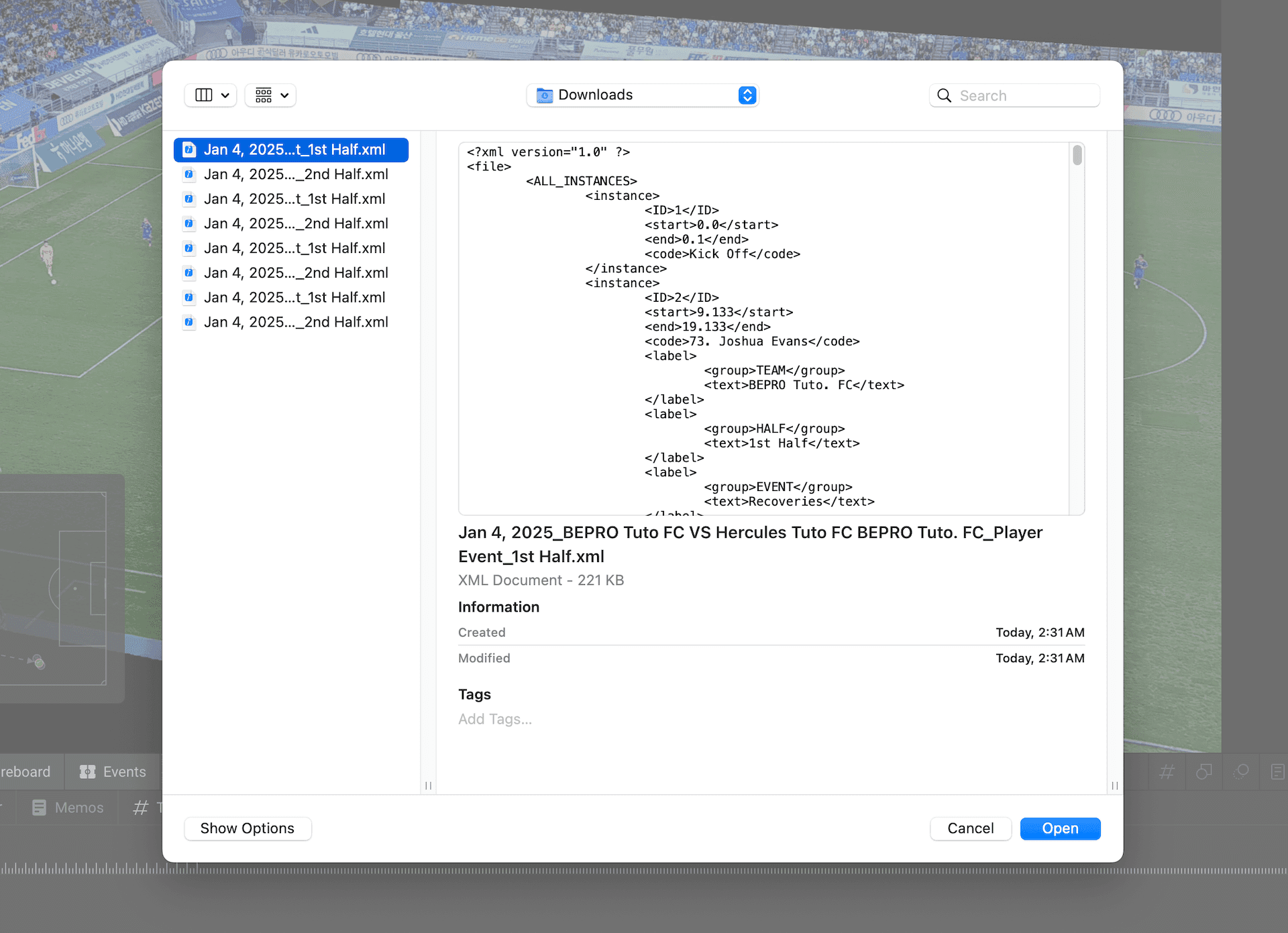
Please select the downloaded XML file.
Connecting XML Data with Labels
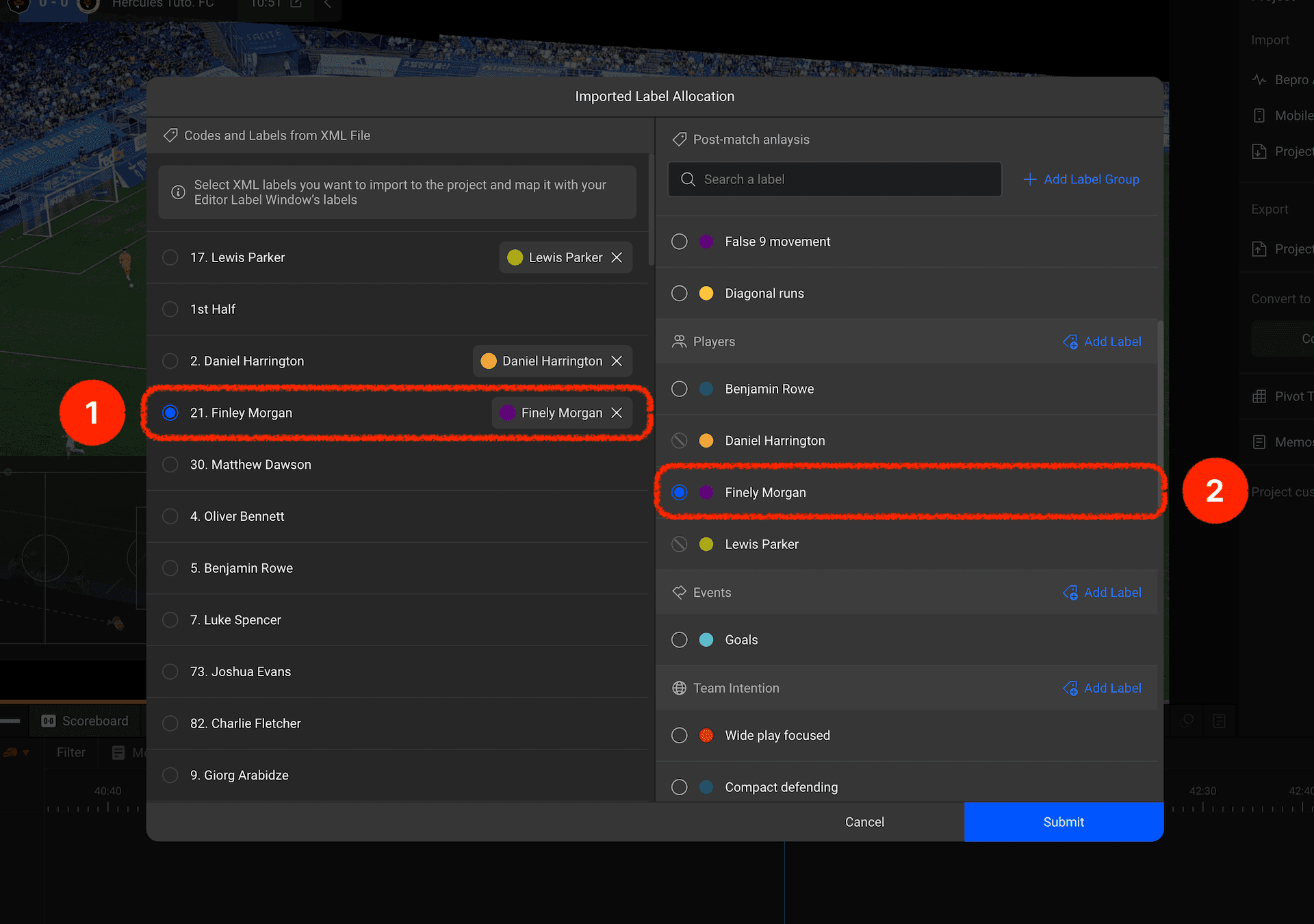
Once you select the file, a modal for connecting XML data with labels will appear.
The left panel displays the list of XML data items that can be imported, whilst the right panel shows the labels in the label window currently being used in the project.
Each XML data item can be connected to one label.
Please select and connect the desired data and labels. In the example, we have chosen to connect the player data from the XML file with the player labels.
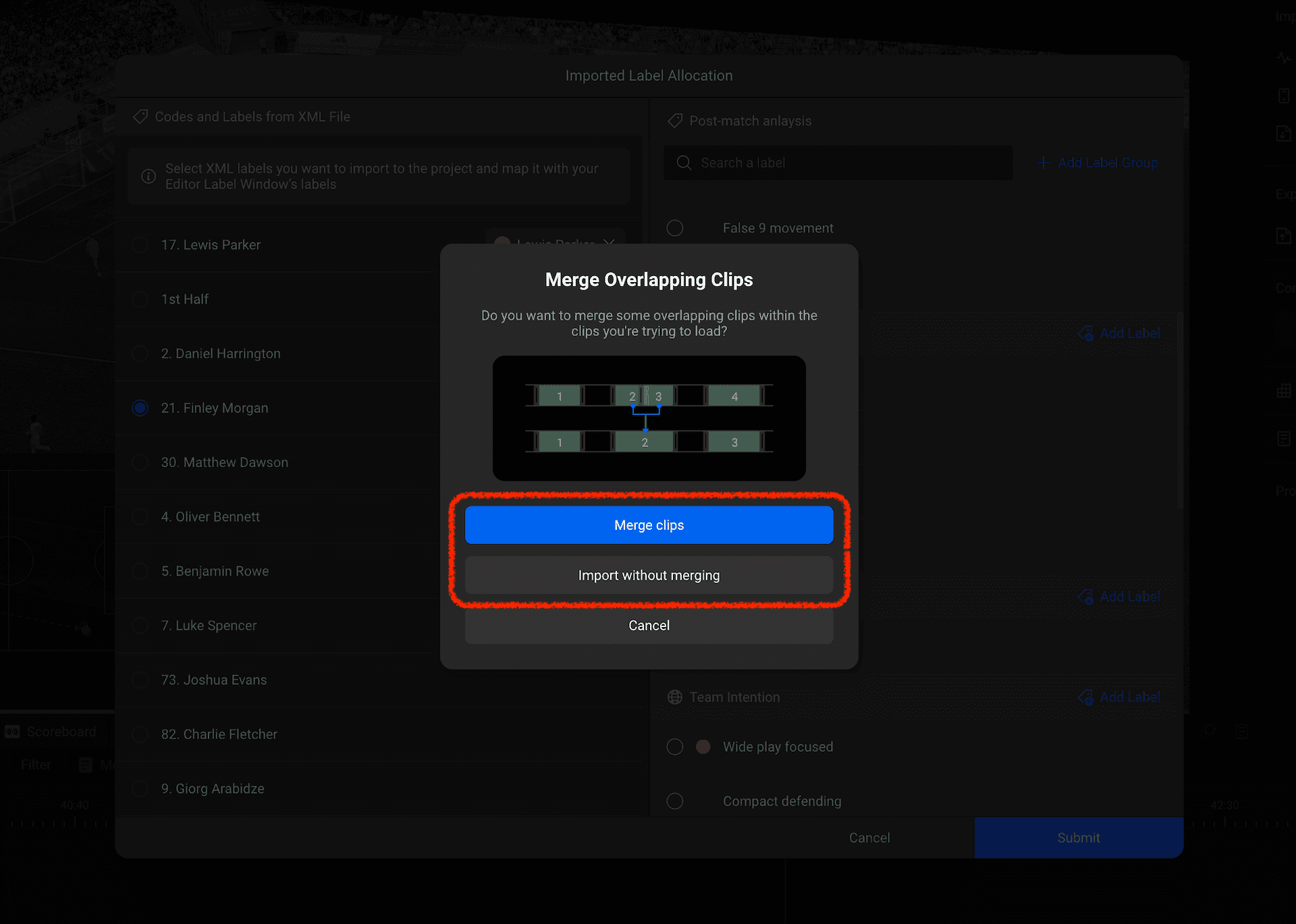
Based on the XML data, clips that overlap on the track may be created. You can choose whether to merge these overlapping clips into single clips or maintain them as they are.
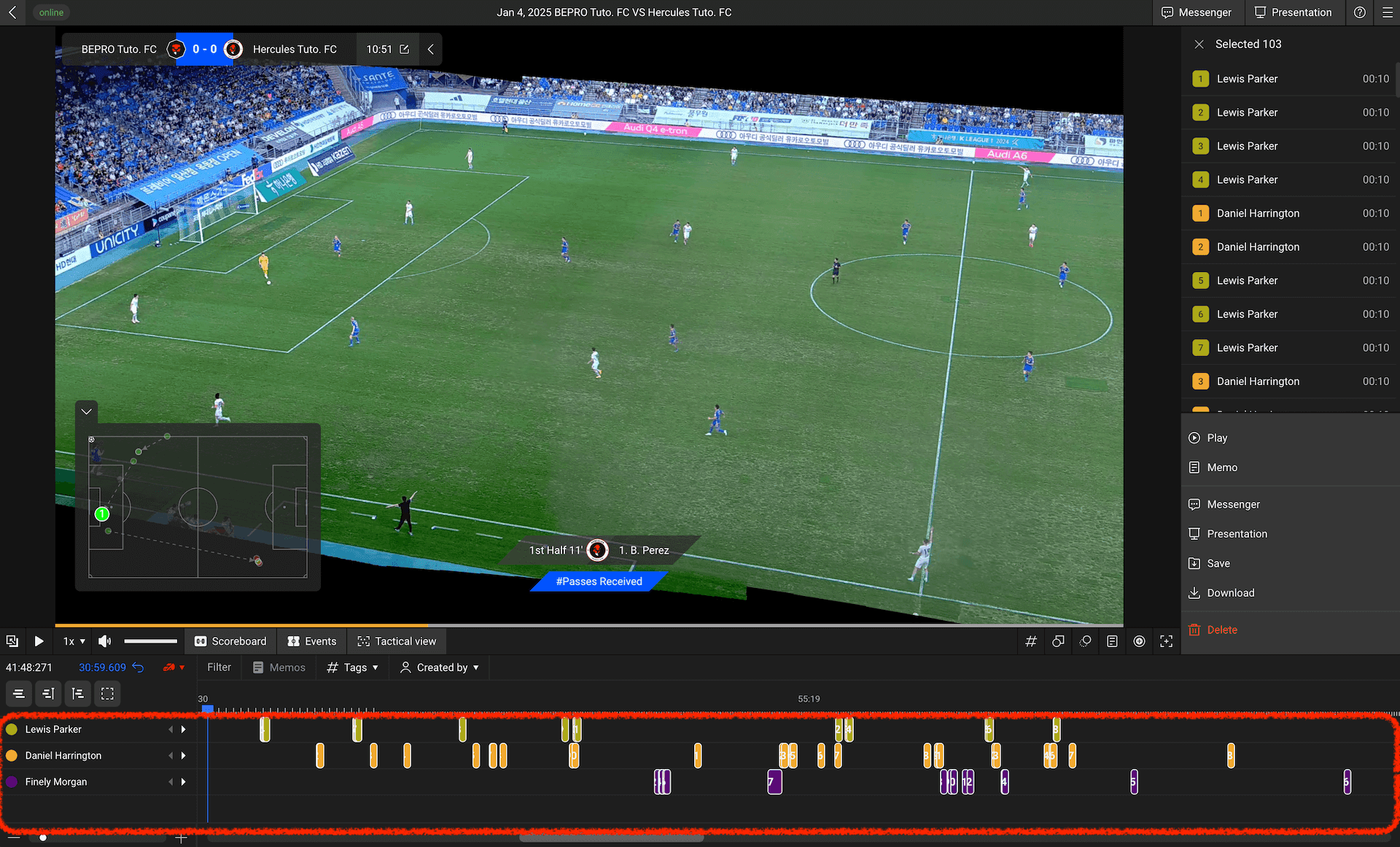
Once the selection is complete, the labels connected to the XML data will be added as project labels, and you can confirm that clips have been created in the label tracks.
Utilise the XML data import feature to use the BEPRO editor flexibly whilst minimising changes to your current team's workflow!
Previous